> For the complete documentation index, see [llms.txt](https://sixbot.gitbook.io/sixbot-help-center/llms.txt). Markdown versions of documentation pages are available by appending `.md` to page URLs; this page is available as [Markdown](https://sixbot.gitbook.io/sixbot-help-center/tutorial/crm/customer.profile.md).
# View Customer Profile
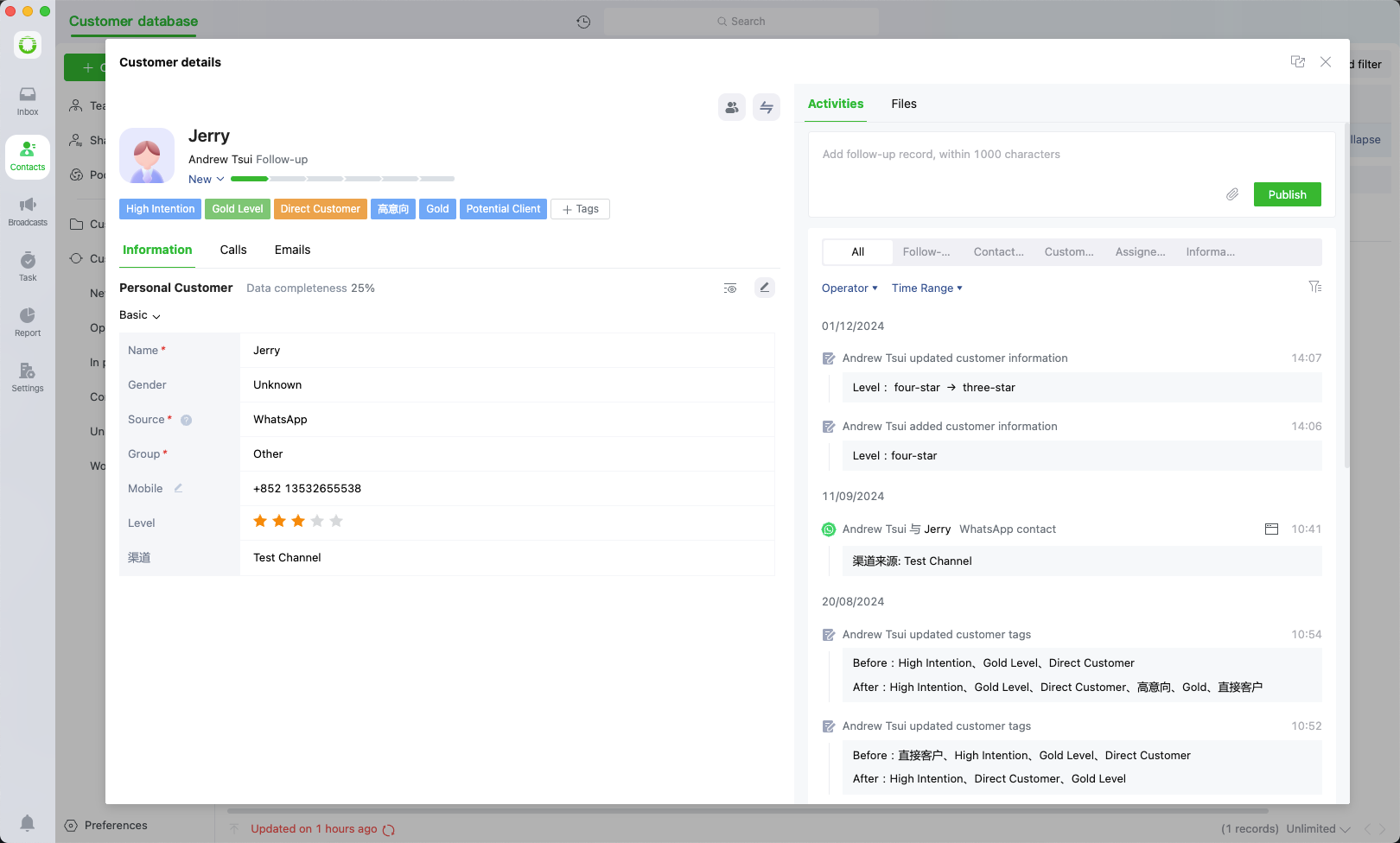
Click on the corresponding customer in the customer database list to view their detailed information
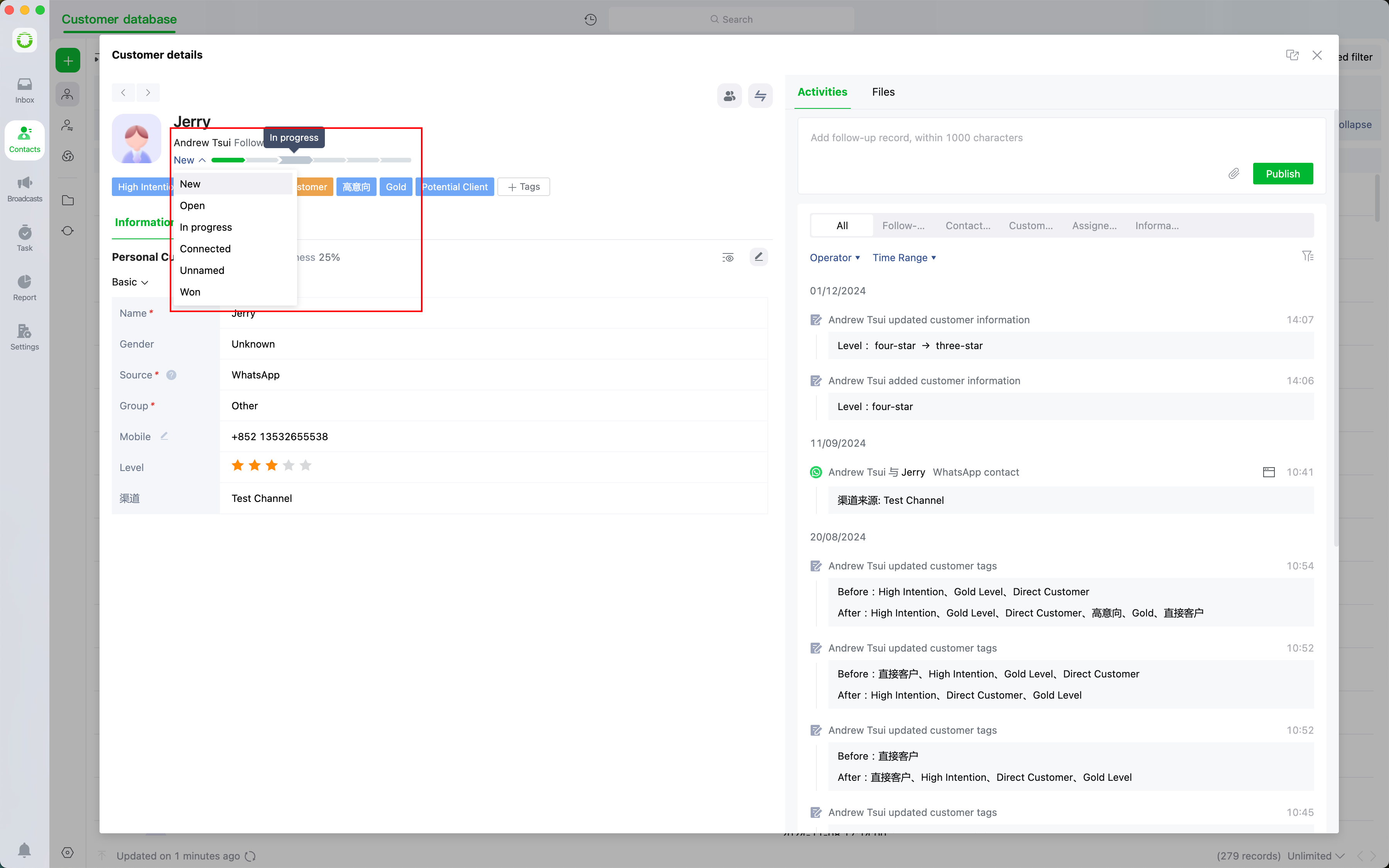
## Set Customer Progress
Use quick records to track customer progress, making future follow-ups more convenient
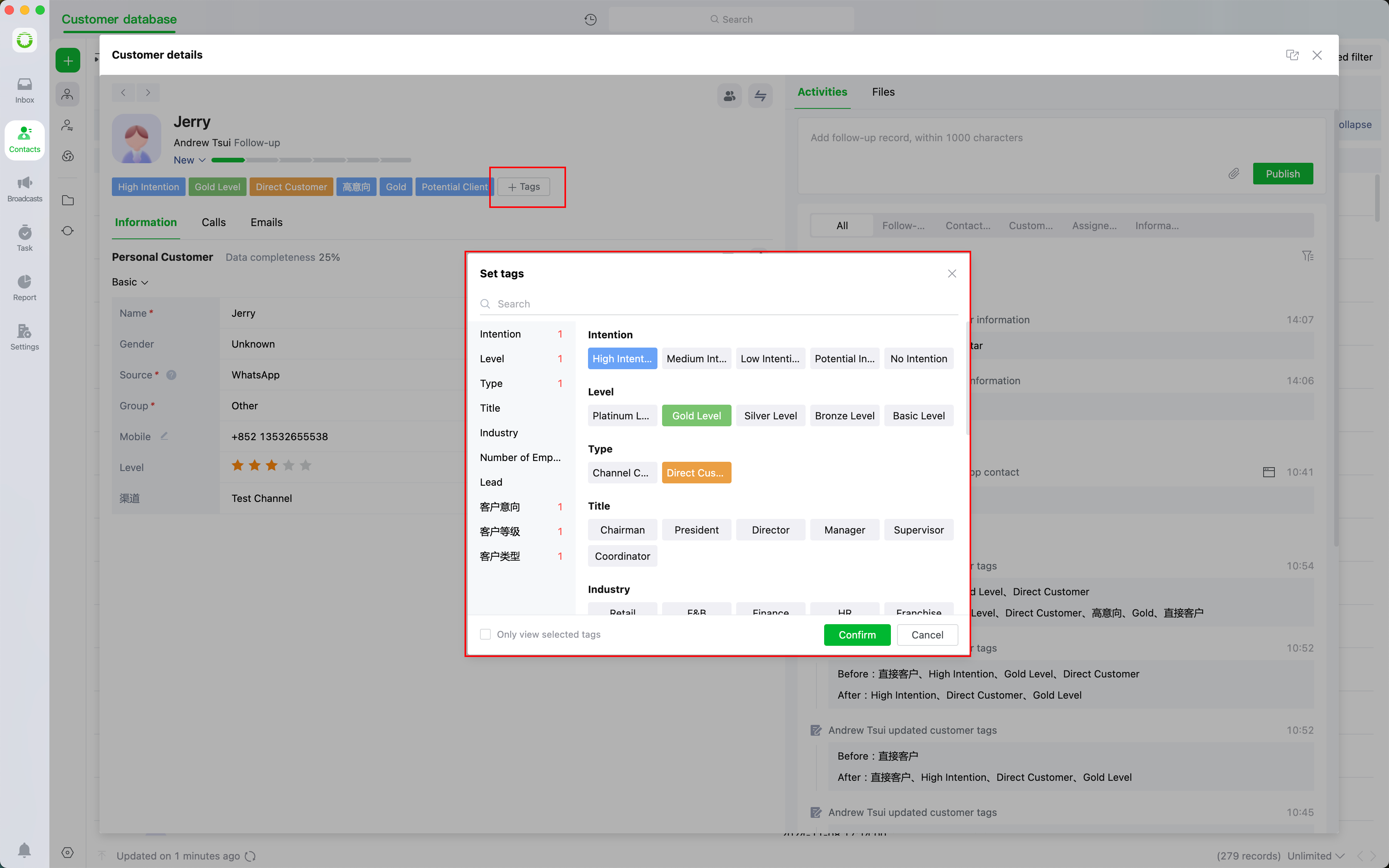
## Set Customer Tags
Customizable customer labeling for classification and organization of customer data.
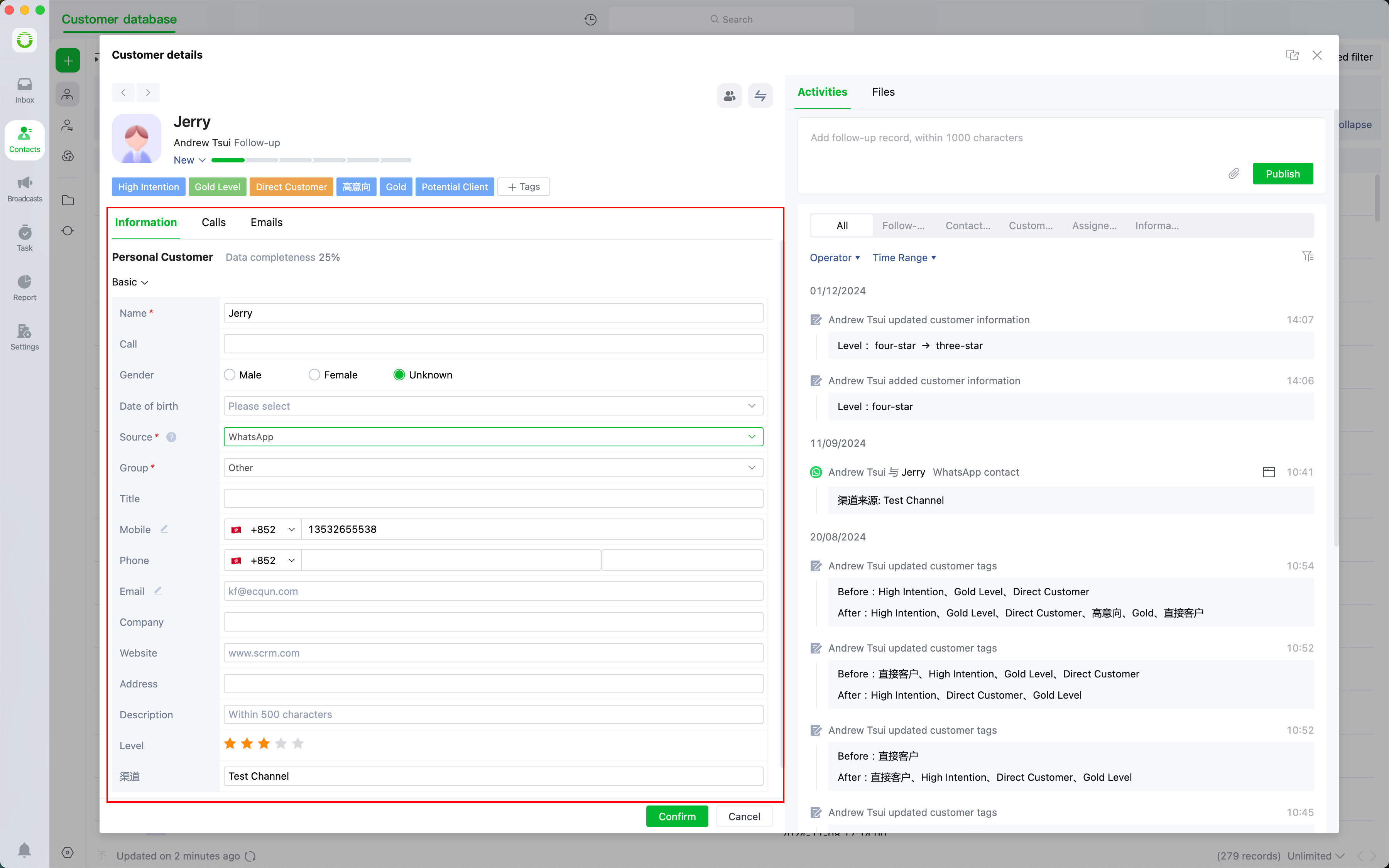
## Set Customer Information
Customizing field content based on specific customer information for easy record
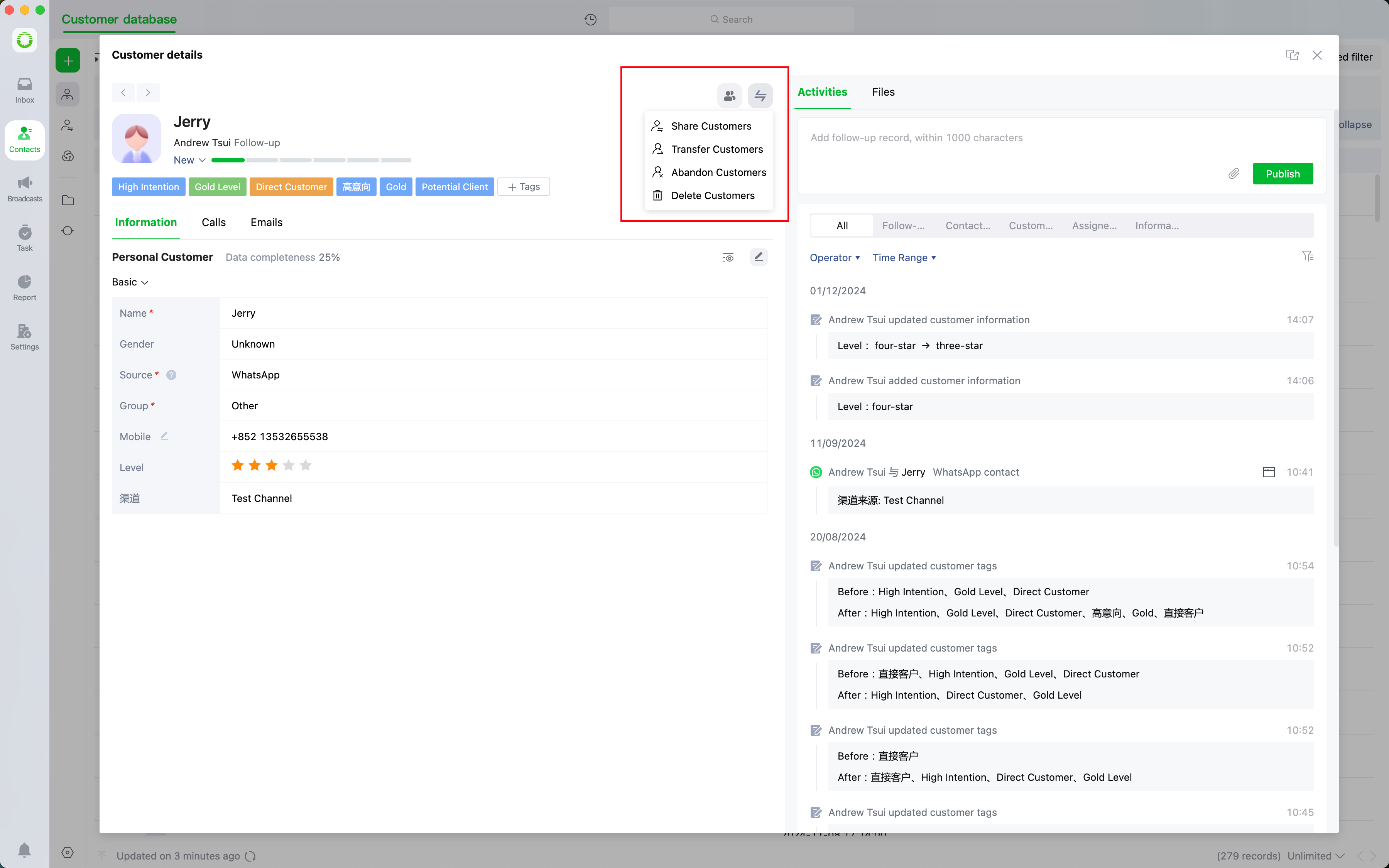
## Transfer Customer
You can perform operations such as sharing customers, transferring customers, abandoning customers, and deleting customers.
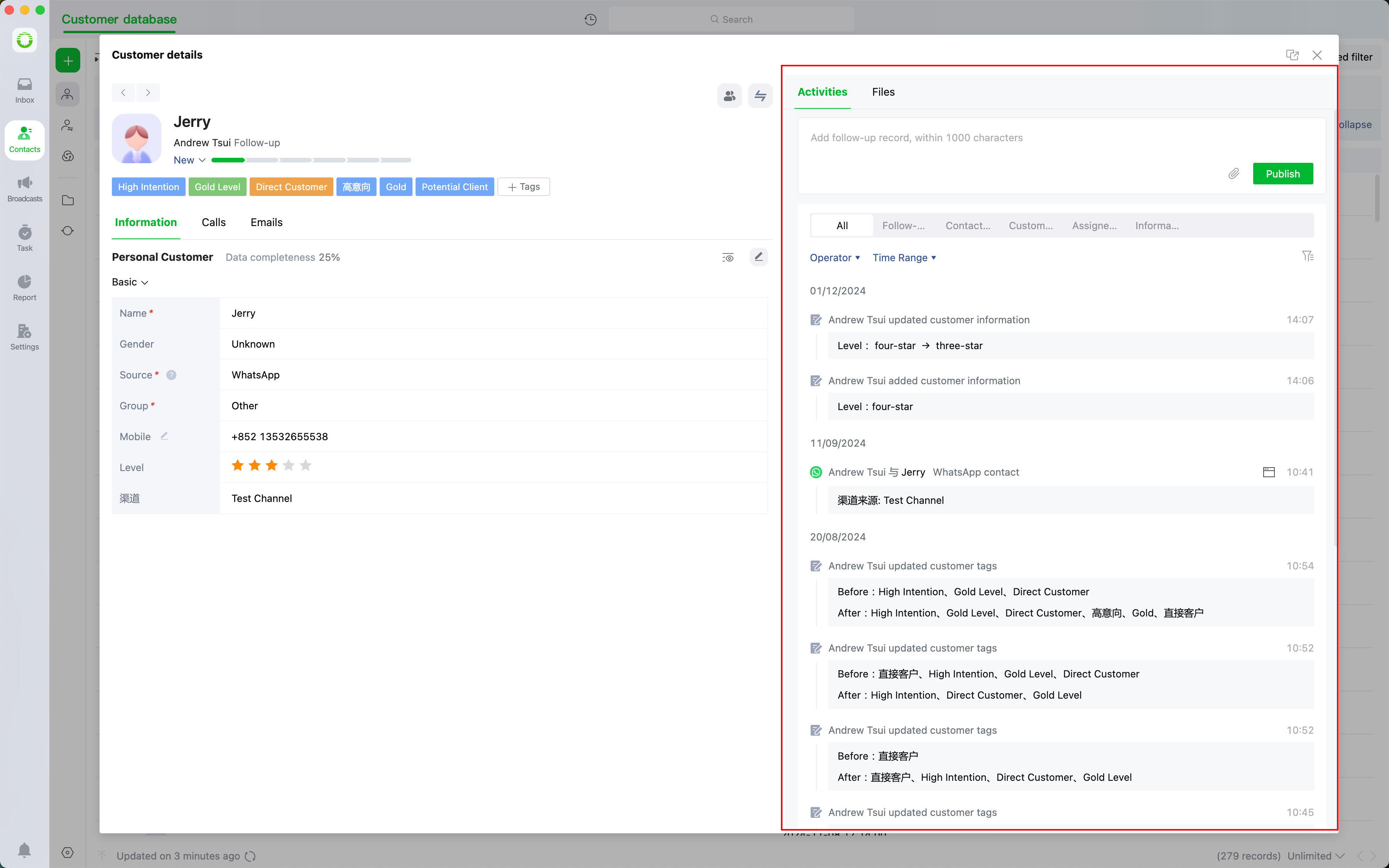
## View Customer Activity
View all records for the customer, including "Member Follow-Up Records, Contact Records, Circulation Records, etc."
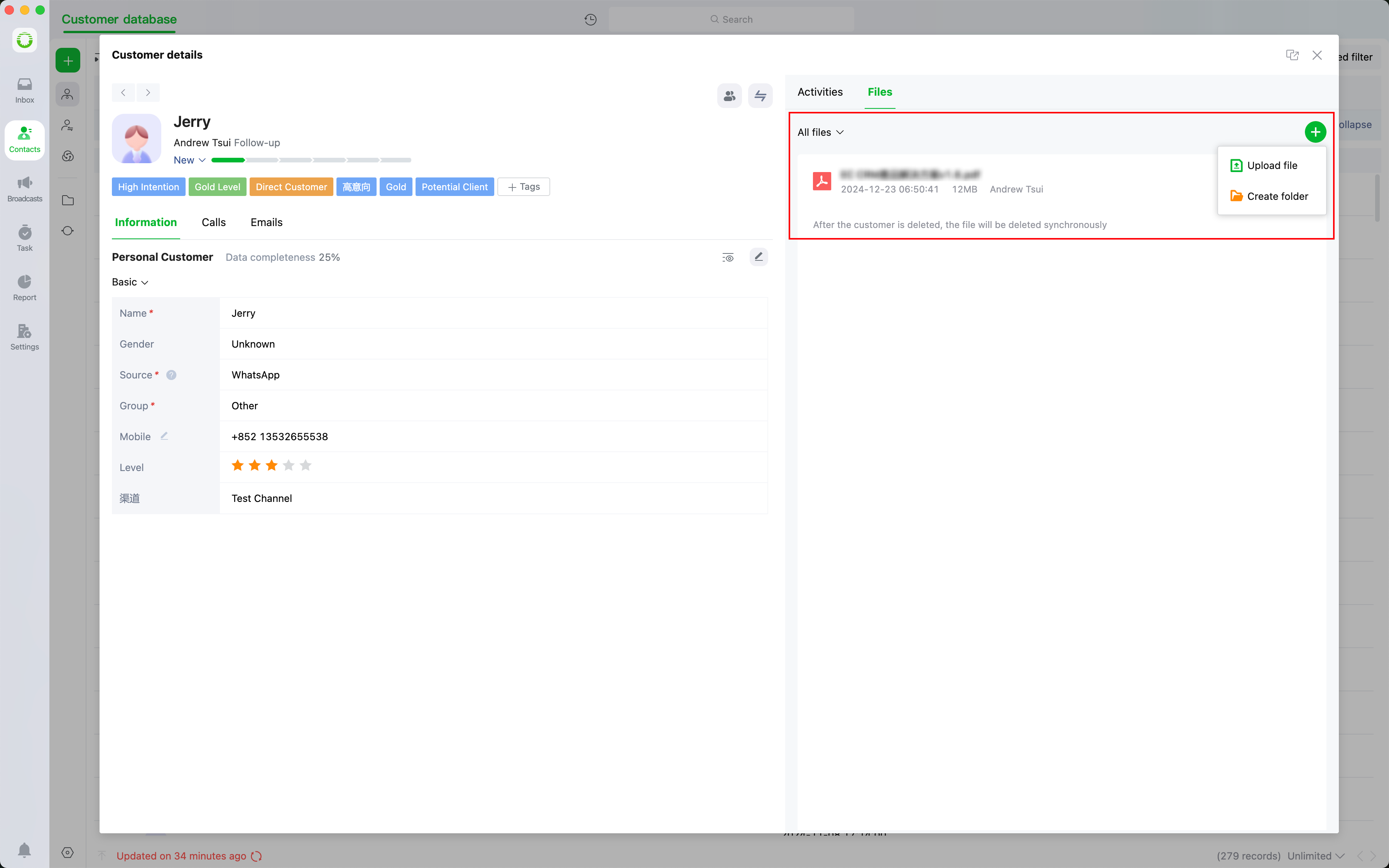
## View Customer Files
Upload/Download client-related documents for easy tracing and understanding of the customer