> For the complete documentation index, see [llms.txt](https://sixbot.gitbook.io/sixbot-help-center/llms.txt). Markdown versions of documentation pages are available by appending `.md` to page URLs; this page is available as [Markdown](https://sixbot.gitbook.io/sixbot-help-center/tutorial/broadcast/createtask.md).
# Create Broadcast Task
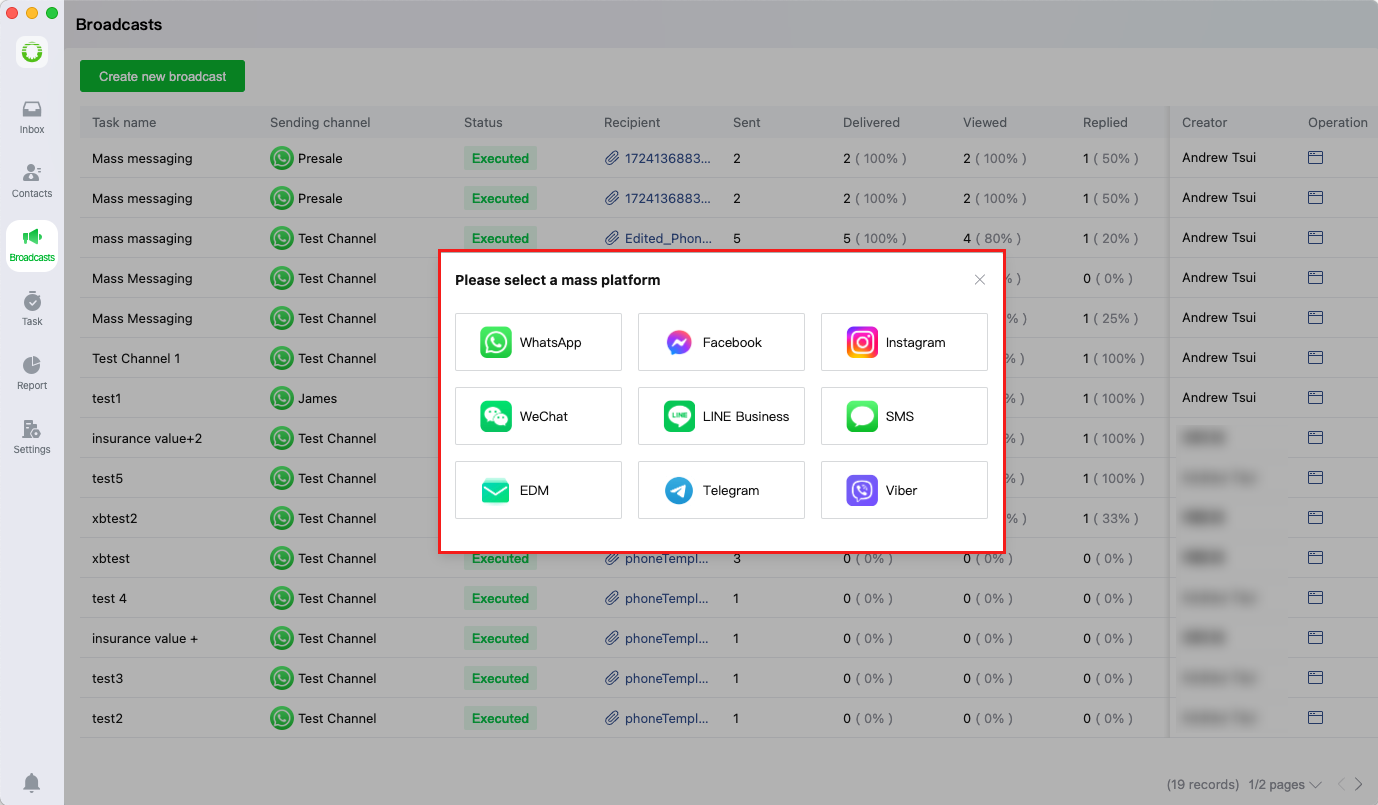
## Select Channel
When creating a broadcast task, users must first select the distribution channel for their message
## Configure Task
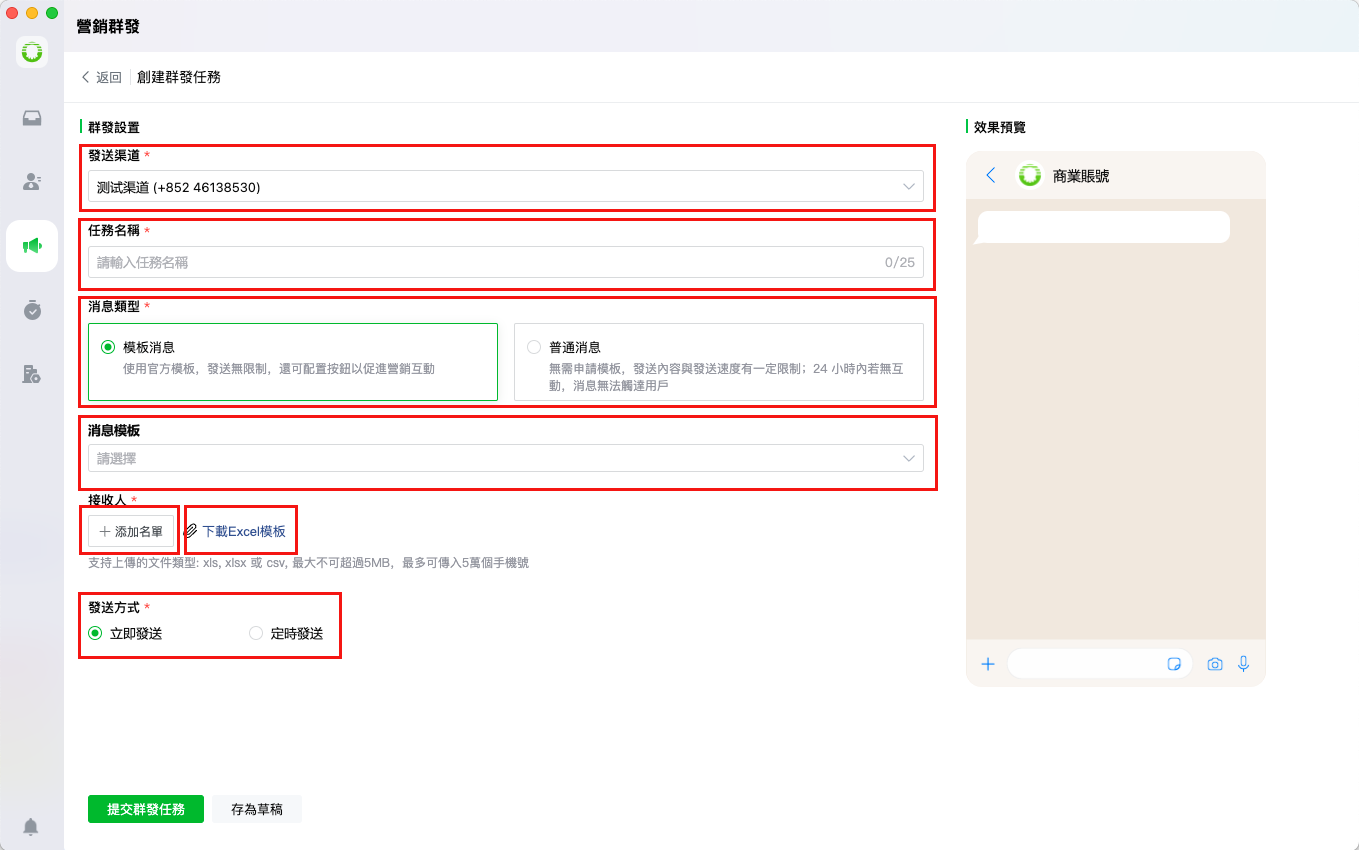
After initiating a broadcast, users need to configure the message by the following setting:
* Selecting the distribution channel
* Entering a task name
* Choosing the message type
* Selecting a message template
* Uploading recipient lists
* Downloading the recipient Excel template
* Selecting the delivery method (immediate/scheduled)
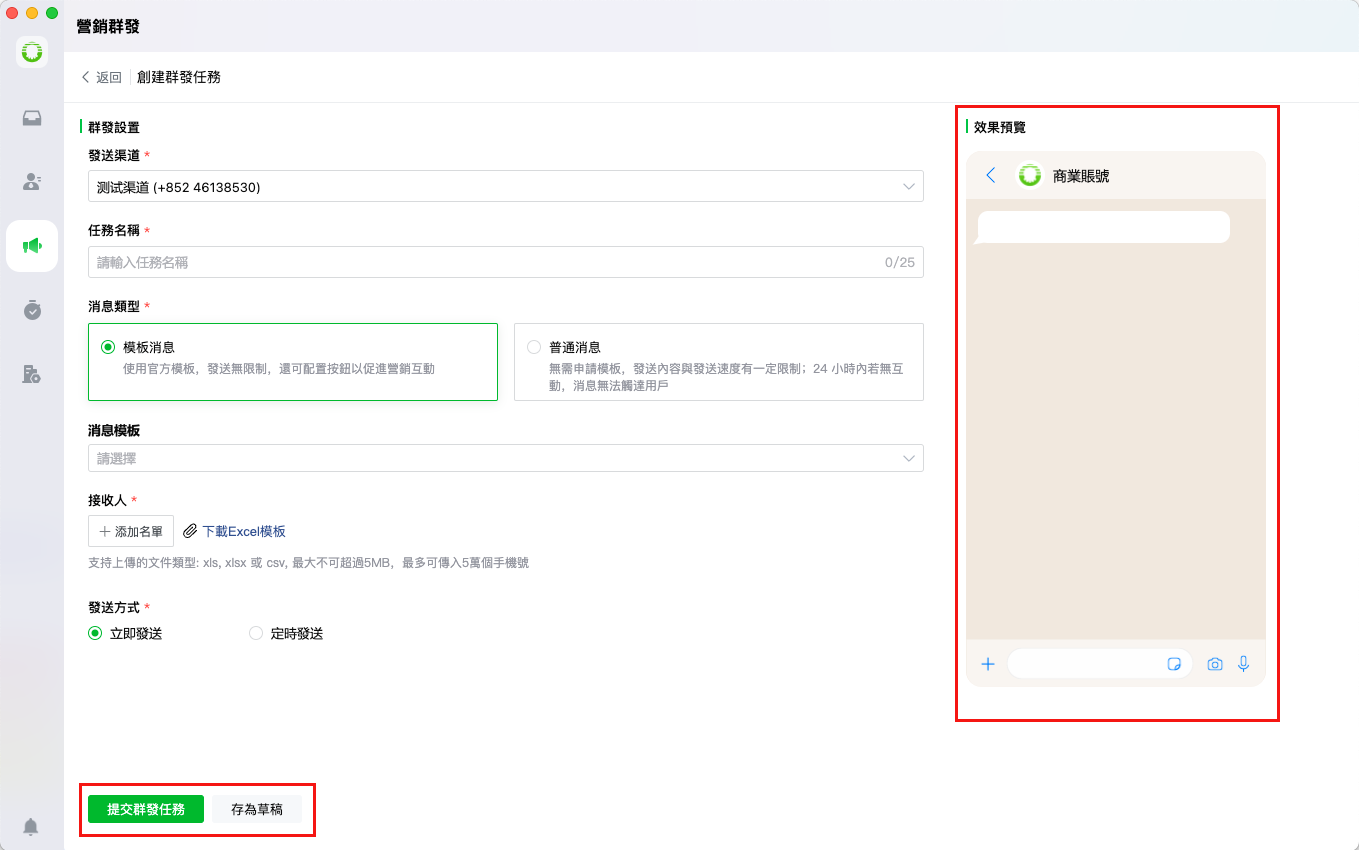
## Message Preview
After completing the setup, users can preview the message rendering and either:
* Submit the broadcast task for immediate processing, or
* Save as draft for future editing