> For the complete documentation index, see [llms.txt](https://sixbot.gitbook.io/sixbot-help-center/llms.txt). Markdown versions of documentation pages are available by appending `.md` to page URLs; this page is available as [Markdown](https://sixbot.gitbook.io/sixbot-help-center/frequently-asked-questions/send.whatsapp.message.md).
# How to send WhatsApp Message?
## Step 1: Connect to WhatsApp Business API
View Tutorial:[How to connect WhatsApp Business API?](/sixbot-help-center/frequently-asked-questions/how.to.connect.whatsapp.api.md)
## Step 2: Add Customer Service Agent
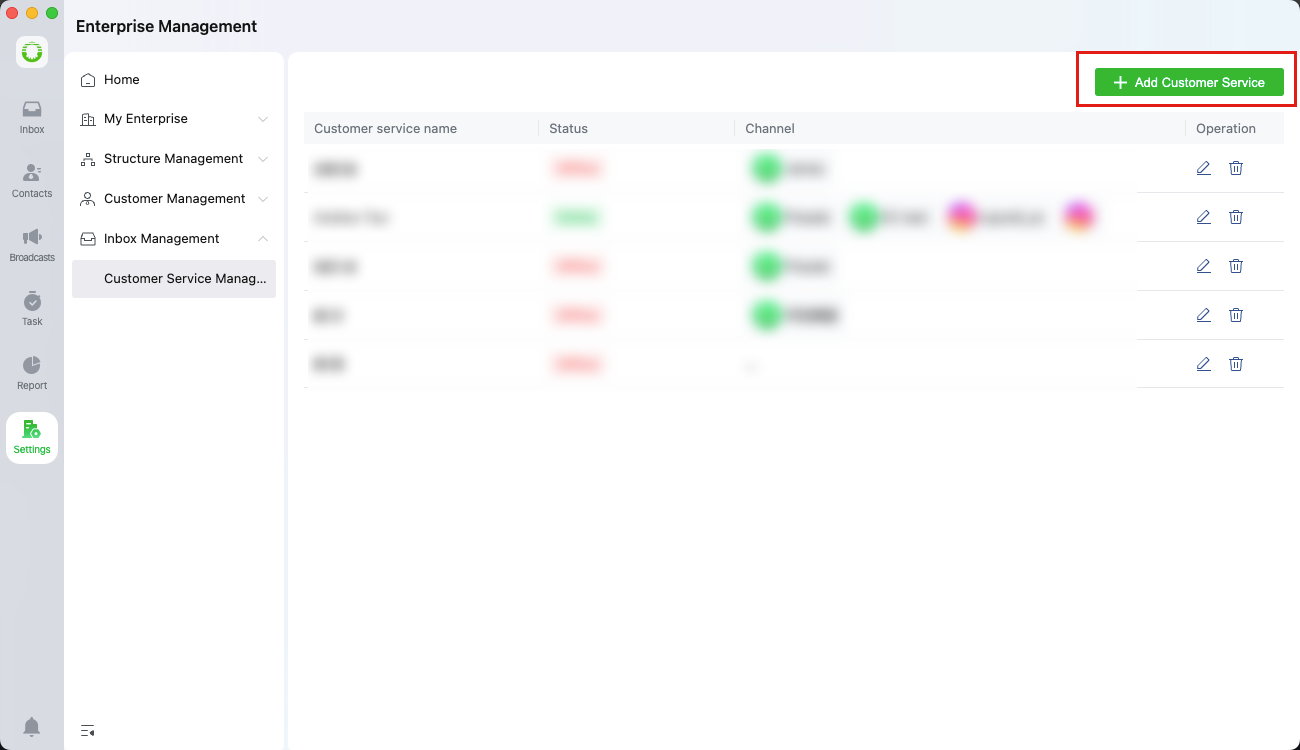
Go to **\[Enterprise Management > Customer Service Management]**, then click **"Add Agent"**
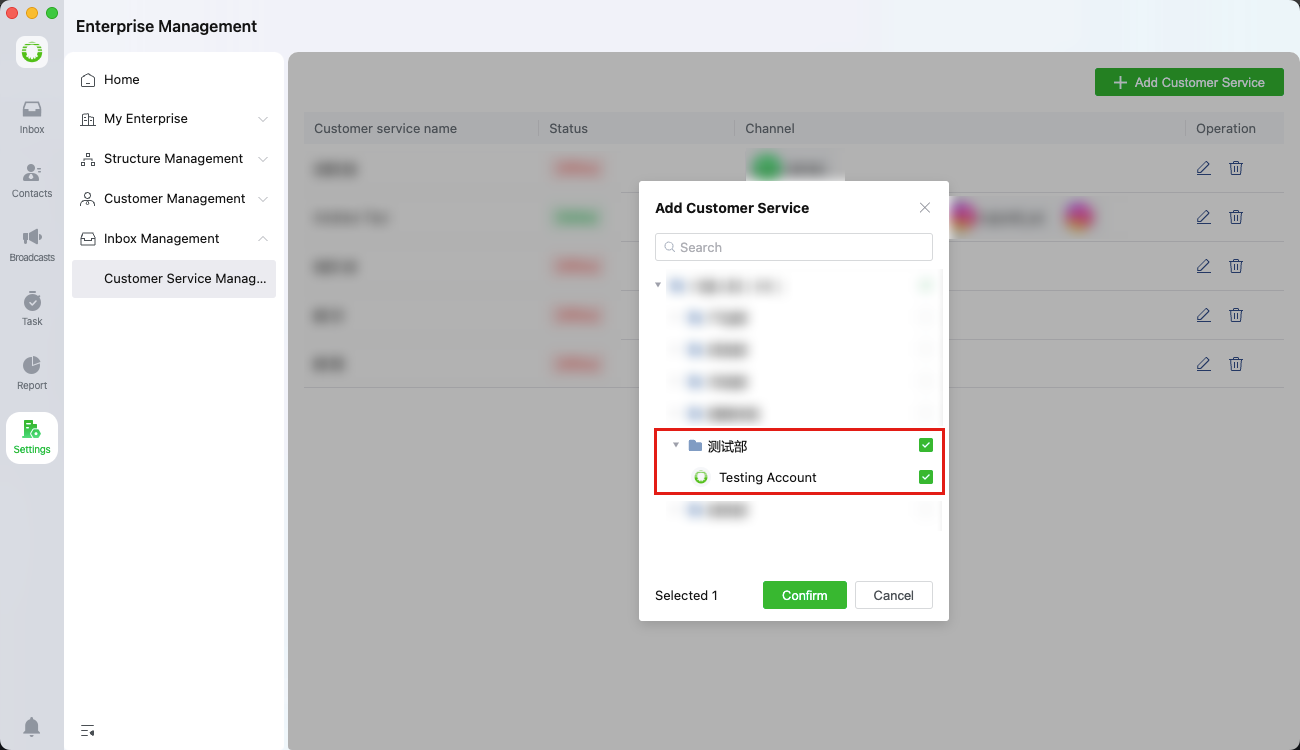
Select the user from the department list and click **"Confirm"** to assign them as a customer service agent
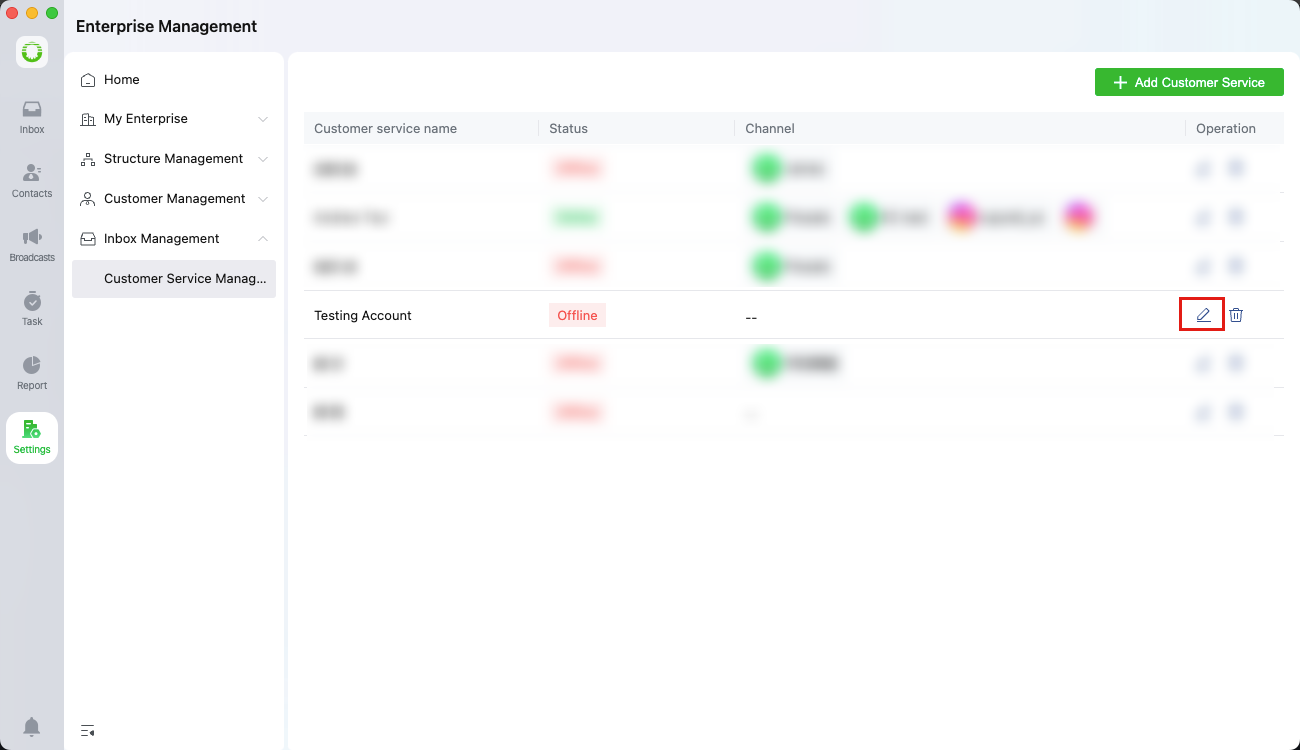
After adding the agent, click **"Edit"** to open the management settings
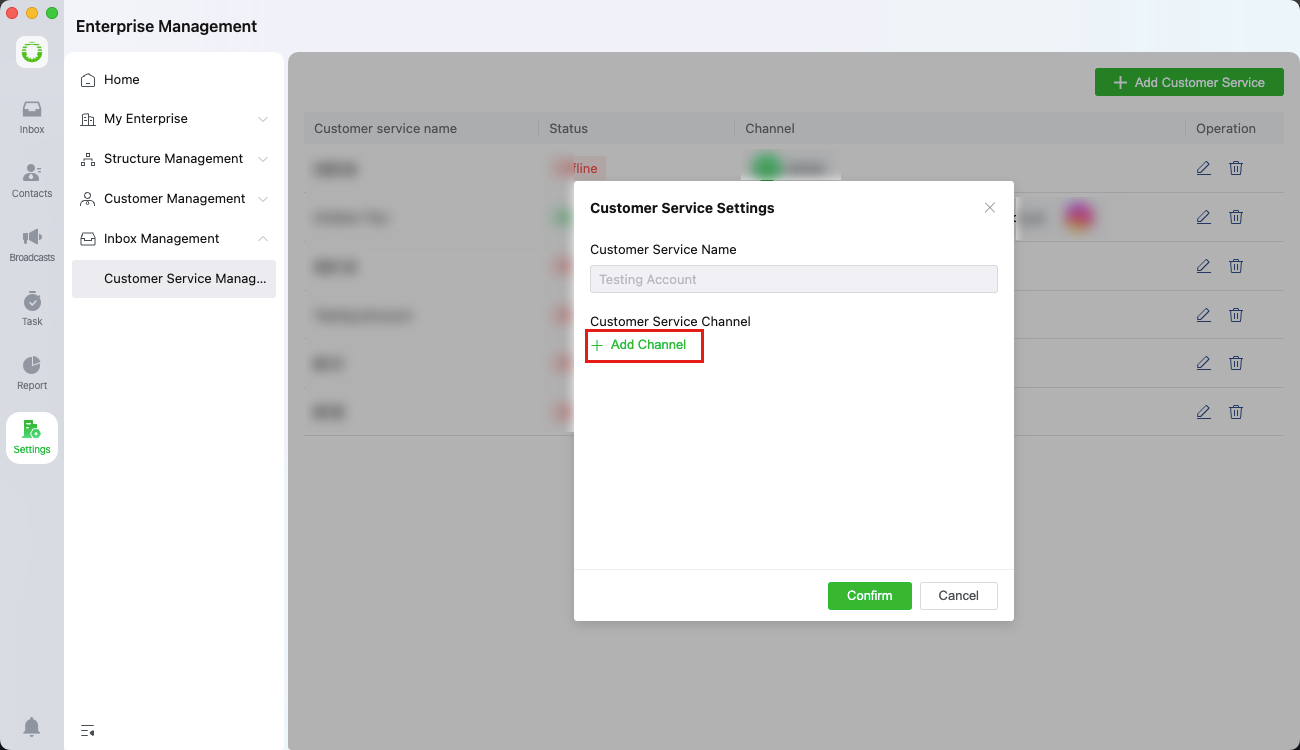
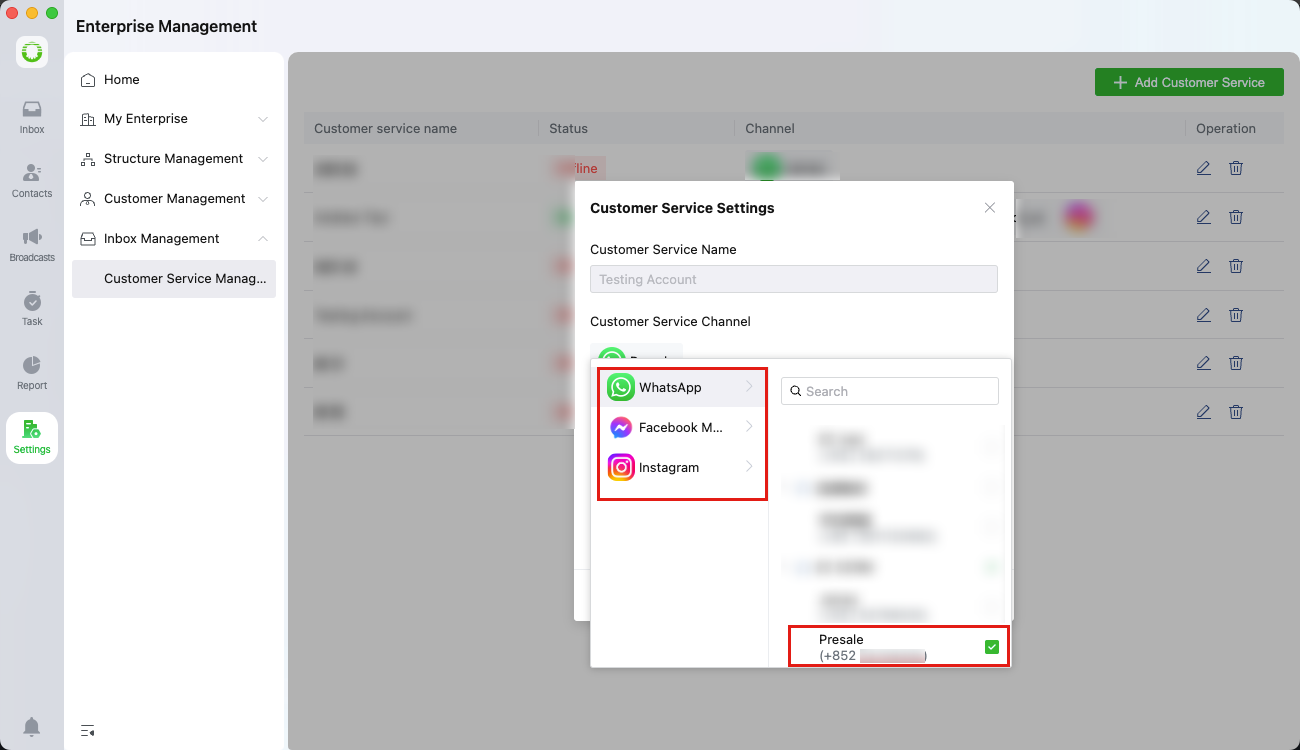
Under settings, click **"Add Channel"** to assign accessible messaging channels to the agent
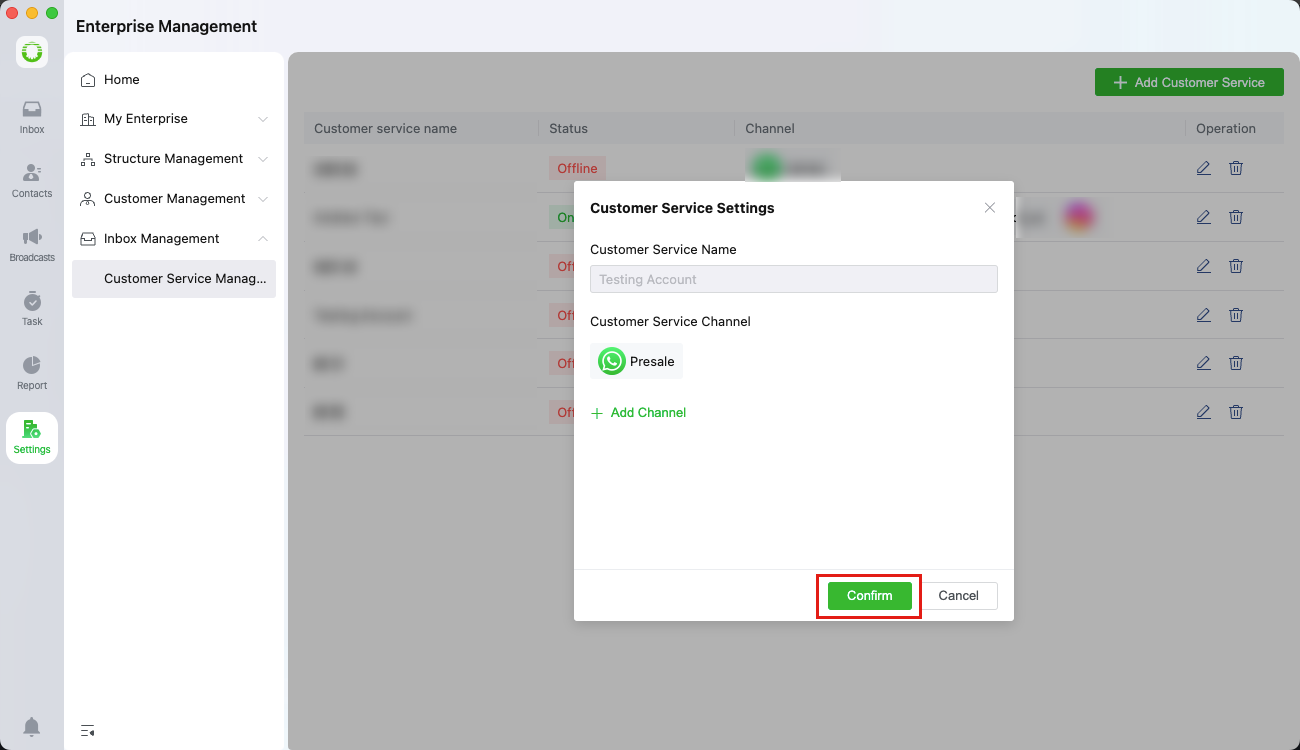
Click **"Confirm"** to save the settings
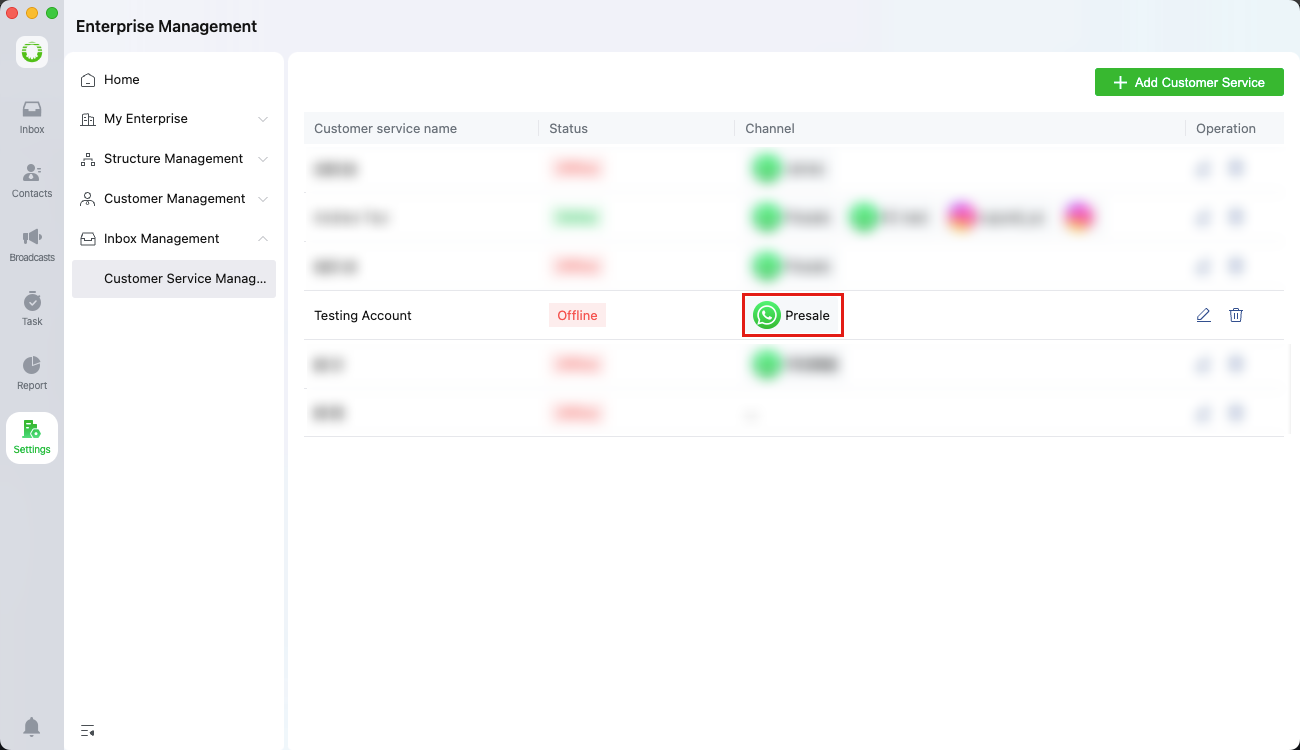
Once configured, the agent can send/receive messages on the assigned channels
## Step 3: Send WhatsApp Message
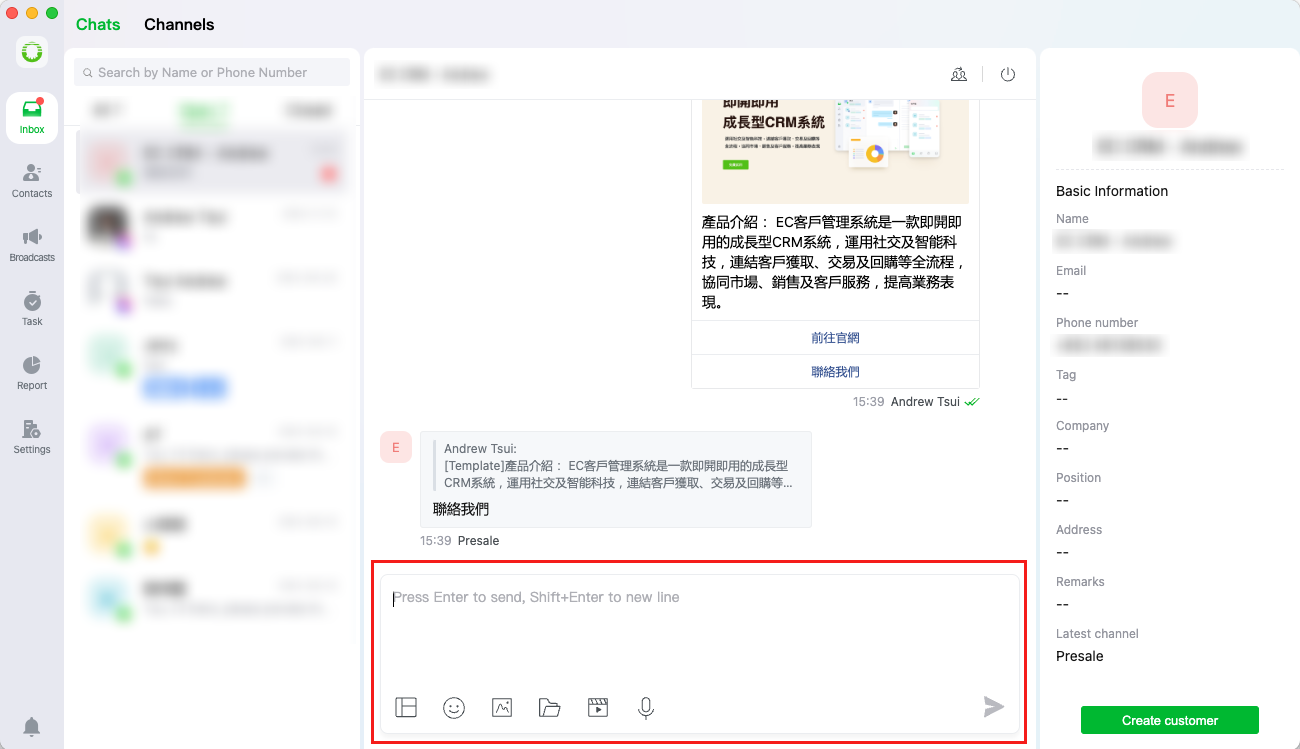
After setup, agents can receive customer messages and send replies (text/images/videos/files/voice notes) via the **\[Inbox > Chats]**.
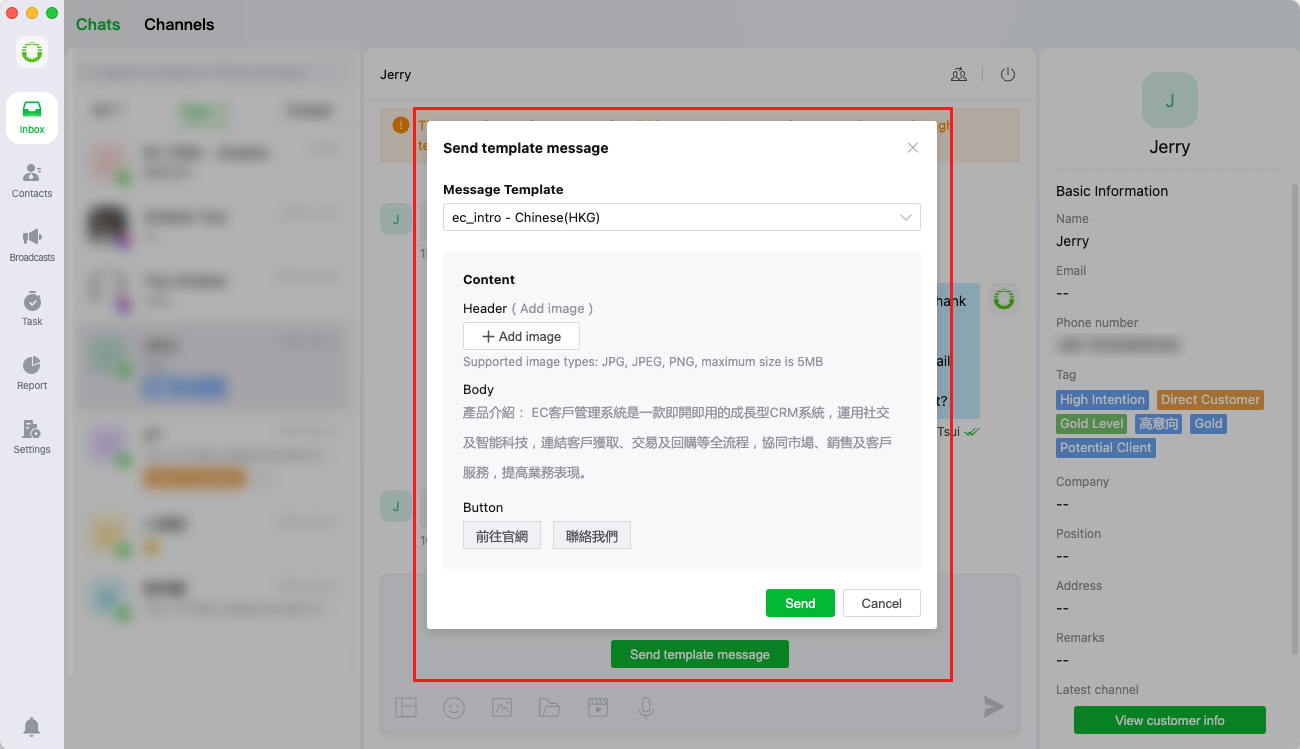
The system also supports sending template messages for proactive customer outreach